


SYSTEM DEVELOPMENT
Order Management (Interlocking System)
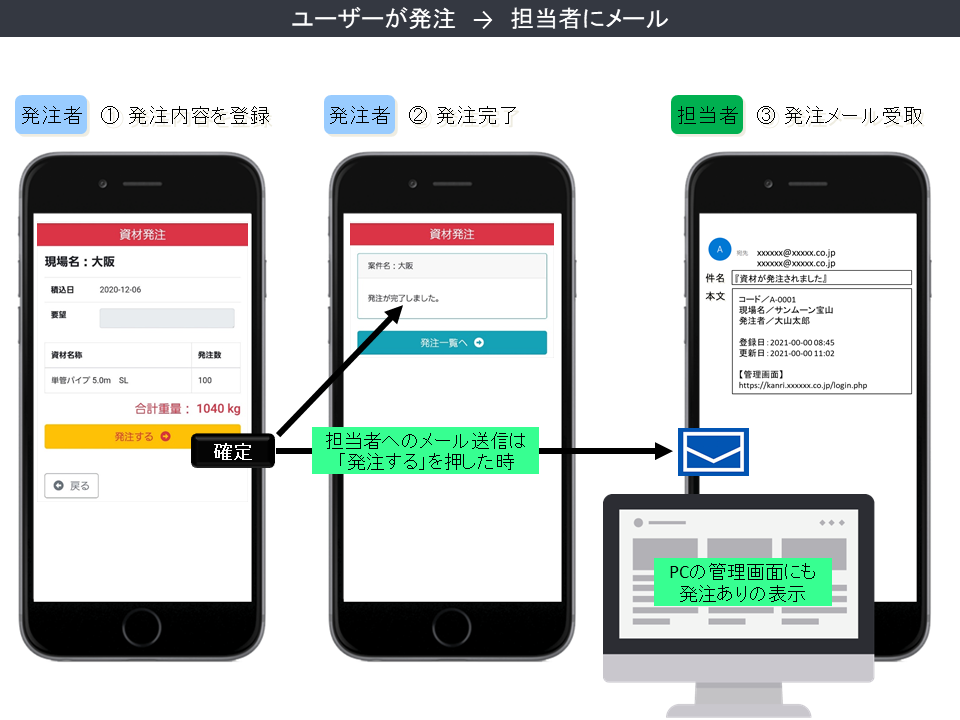
The orderer will select and input the essential details of the required product.
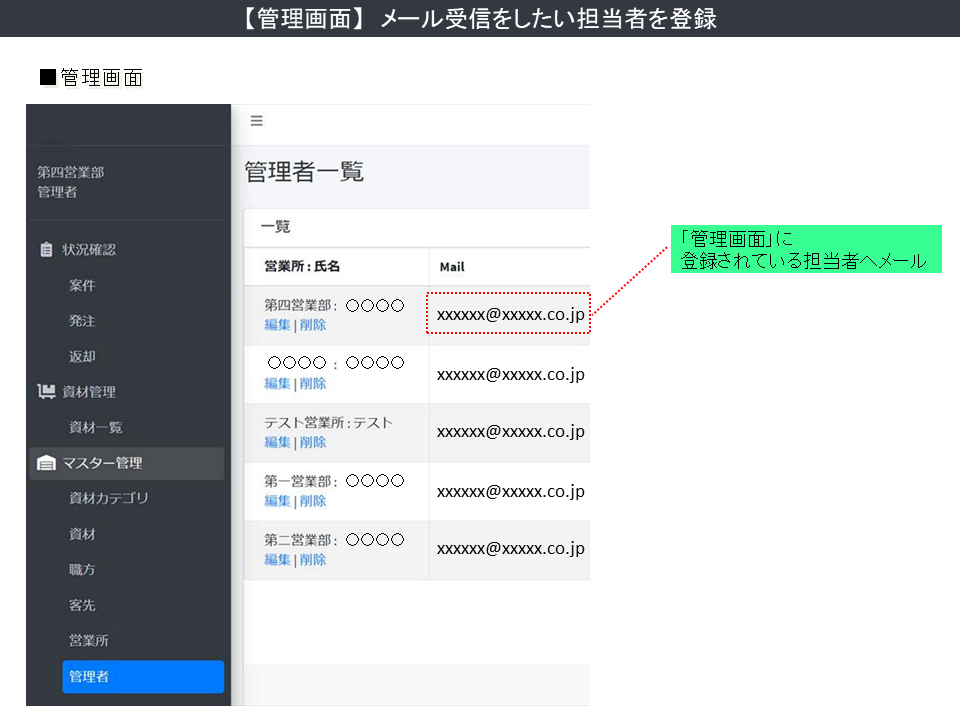
Then, when the order is confirmed (by the orderer), the people who are on the management board will receive a notify email (via smartphone, smart devices, PC, etc.)
Since the necessary detail of the order will be listed on the management screen, therefore it’s could be possible to report or share the correspondence status within the company.
[Unapprove], [Approve], [Shipped] are three main statuses that you can decide by yourself as you see fit with the current situation.
With this, any progress status of the order will be [visualized] for easily catching the corresponding information, so there is no need to re-confirm information within the company.
Related Products
-

Video Distribution Service
Our distribution service is recommended when you want to distribute "valuable videos" and "special videos" instead of "YouTube" that anyone can watch.
-

Introduced “Refer-A-Friend Campaign” System
"Refer-A-Friend Campaign" has been gaining popularity among the events in recent years. Any company's product or service that the customers interesting in, the company will support the customer in a "refer-a-friend" campaign.
-

Systematization Of The [“Gratitude Email”] And [“Subscription Email”]
Do you ever wonder how to send the "Gratitude Email" and "Subscription Email" after selling a product or serving a customer at the right time? We have a system that can automatically send an email to the customer at the right time according to your wish. Moreover, a conditional search is embedded inside the system to ensure the right email will be sent. Each of the consecutive sent emails may lead to a repeat customer. If you have any inquiries, please let us know.
-

Web Application Form ② (Event Application, Winning Announcement, Ticket Display)
We will support all the event's dates and times, with a limited number of guests, from the application, the announcement of winning, and display the event date on the ticket.
-

Inquiry Management In Simple Implementation
There is no need for a management screen for inquiry forms. By implementing a simple method that each inquiry will be sent as an email, then each employee in the inquiry management team will review the customer's inquiry.
-
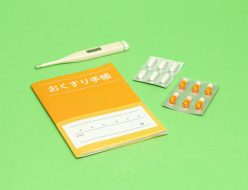
[Improving the efficiency of pharmacy operations] Making manufacturing records online (with easy steps)
This is a web system to improve the efficiency of pharmacy operations. Manufacture records for pharmaceuticals that are needed on a daily basis can be created in simple steps. *Registered information can also be searched by conditions.





![[Cosmetic Product] Filling With The Ingredients Provided By Customers](/wp-content/uploads/2021/11/f5ffedb7cbfae2ef5916af4312258bff-200x200.png "[Cosmetic Product] Filling With The Ingredients Provided By Customers")