


SYSTEM DEVELOPMENT
Order Management (Interlocking System)

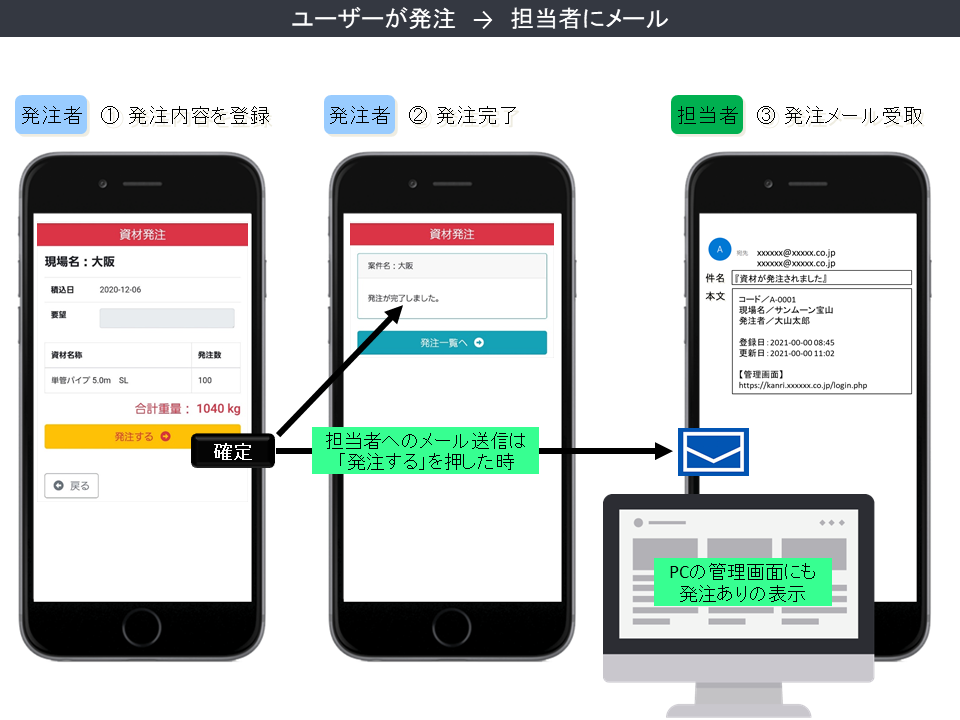
The orderer will select and input the essential details of the required product.
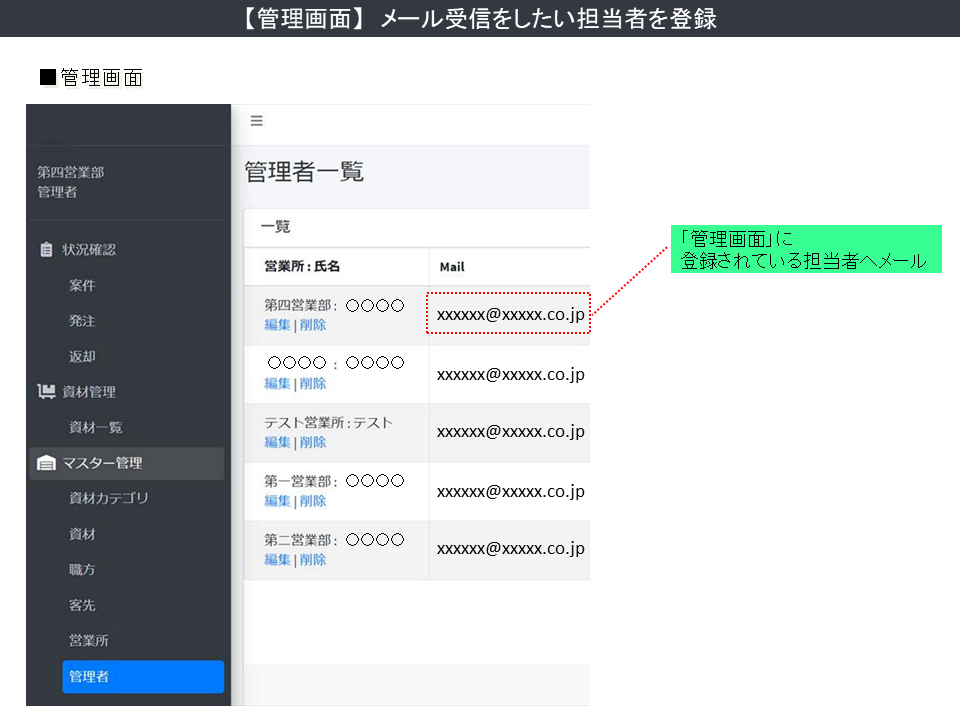
Then, when the order is confirmed (by the orderer), the people who are on the management board will receive a notify email (via smartphone, smart devices, PC, etc.)
Since the necessary detail of the order will be listed on the management screen, therefore it’s could be possible to report or share the correspondence status within the company.
[Unapprove], [Approve], [Shipped] are three main statuses that you can decide by yourself as you see fit with the current situation.
With this, any progress status of the order will be [visualized] for easily catching the corresponding information, so there is no need to re-confirm information within the company.
Related Products
-

Website Translation Service – [Vietnamese], [English], [Chinese]
…◆…★…◆…Vietnamese, English, and Chinese.…◆…★…◆… If your business wants to expand service outside the border, please contact us.
-

【For Business】Manga Drawing (Promotion/Guide)
Manga for business that interesting and easy to read. Regardless of the business industry, manga can now use to promote various services and products.
-

Sale Report Management System
The sale report file from each company that wholesale the product was sent in Excel format. Is it taking a long time to list for use within the company because each file is different? We will provide a solution to your problem.
-

Inquiry Management In Simple Implementation
There is no need for a management screen for inquiry forms. By implementing a simple method that each inquiry will be sent as an email, then each employee in the inquiry management team will review the customer's inquiry.
-

Escape from the “lack of human resources” and “individualization”. Let’s move forward with digitalization!!
When you start thinking about digitalization in order to solve the problem of "lack of human resources" and "individualization," please also consider looking for a specialized company that you can consult with while exploring the root causes of your company's problems.
-
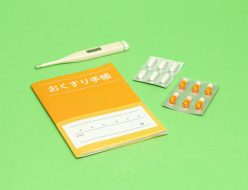
[Improving the efficiency of pharmacy operations] Making manufacturing records online (with easy steps)
This is a web system to improve the efficiency of pharmacy operations. Manufacture records for pharmaceuticals that are needed on a daily basis can be created in simple steps. *Registered information can also be searched by conditions.

![[Cosmetic Production] Offering Wide Range Of Support From Small Amount Filling For Sample Product, To High Degree Difficulty Of Filling Process](/wp-content/uploads/2021/11/22147373_s-200x200.jpg "[Cosmetic Production] Offering Wide Range Of Support From Small Amount Filling For Sample Product, To High Degree Difficulty Of Filling Process")



![Systematization Of The [“Gratitude Email”] And [“Subscription Email”]](/wp-content/uploads/2021/07/mail_icon.jpg "Systematization Of The [“Gratitude Email”] And [“Subscription Email”]")




![[50,000 yen per month!!] “Homepage production/Homepage maintenance & management”, “SNS updates”](/wp-content/uploads/2019/04/580px_WEB_SITE-200x200.png "[50,000 yen per month!!] “Homepage production/Homepage maintenance & management”, “SNS updates”")